Microsoft Digital Asset Management, Inside Word, PowerPoint, Excel and Outlook
ioMoVo's add-ins bring digital asset management for Microsoft 365 into the apps your teams already work in. Find approved logos, images, videos and documents across SharePoint, OneDrive and 15 storage sources. Insert them into Word, PowerPoint, Excel and Outlook, and keep every version under control. No migration, and no new app to learn.

Native add-ins on Microsoft Marketplace
15 storage sources
SOC 2 Type II report on request
No migration
Why Teams Choose ioMoVo for Microsoft
Digital Asset Management
Most decks, proposals and client emails are built in Microsoft 365, but the approved assets behind them live somewhere else. People download logos to their desktops, reuse last year's product shots and attach files that were replaced months ago. Microsoft digital asset management with ioMoVo closes that gap by putting your governed library inside the apps where the work happens.

Approved assets, one click away. Search your library from a side panel in Word, PowerPoint, Excel or Outlook and insert the file directly. No downloads, no desktop copies.
Works with the storage you already have. ioHub connects SharePoint, OneDrive, AWS S3, Google Drive and 15 sources, so files stay where they are.
Version control built in. Save, update and retrieve versions from inside Microsoft 365, so teams always open the current file.
Brand safe by default. Teams pull from the same approved library your brand asset management program governs.
ioMoVo's add-ins are published by ioMoVo on Microsoft Marketplace, not delivered through a third party connector layer.

One DAM Add-in for Every Microsoft 365 App
Each add-in installs from Microsoft Marketplace and connects to the same ioMoVo library, so every app sees the
same approved assets.

PowerPoint: On Brand Slides Without the Hunt
The PowerPoint DAM integration puts current logos, product images and approved visuals in a panel next to your slides. Search, click and insert. Sales and marketing teams stop rebuilding decks from old files, and brand teams stop chasing outdated logos. Get the PowerPoint add-in

Word: Document Version Control That Stays in Word
Import assets into proposals, reports and briefs without leaving the document. Save new versions back to ioMoVo as you work, and retrieve earlier versions when a reviewer asks what changed. Get the Word add-in

Excel: Workbooks Managed Like Assets
Keep reporting workbooks versioned and stored alongside the assets they track. Insert approved logos and images into client facing reports, and save each revision to the same governed library. Get the Excel add-in

Outlook: Share Approved Assets, Not Stale Attachments
Bring the approved library into the inbox. Insert current assets into emails and save important files back to ioMoVo, so the version a client receives is the version your team approved. Get the Outlook add-in
SharePoint Digital Asset Management
Without Migration
SharePoint and OneDrive store files well, but they were not built to manage brand and media assets. ioMoVo adds the DAM layer on top: indexing, search, versioning and approval workflows across your existing libraries, with the files left exactly where they are. That makes SharePoint digital asset management practical without a migration project, and it extends Microsoft digital asset management to every other place your files live.
Features Built for Microsoft 365
Workflows
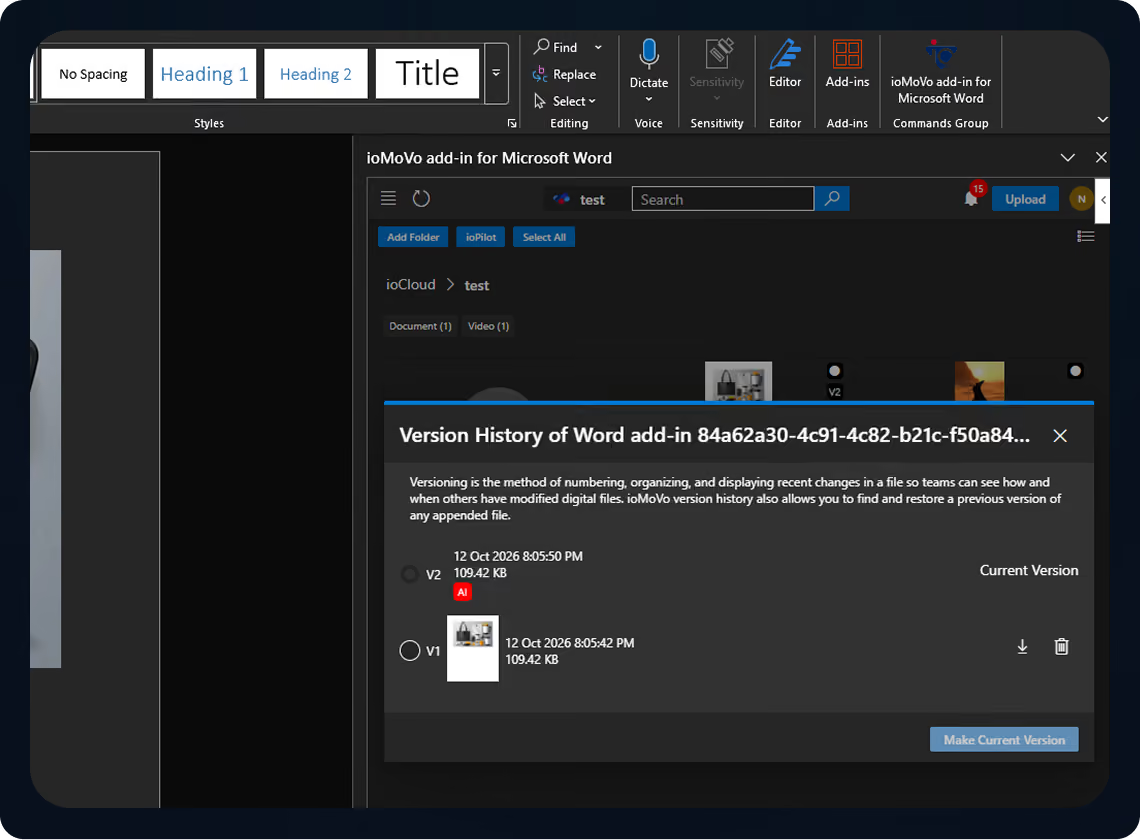
Version Control from Inside the App
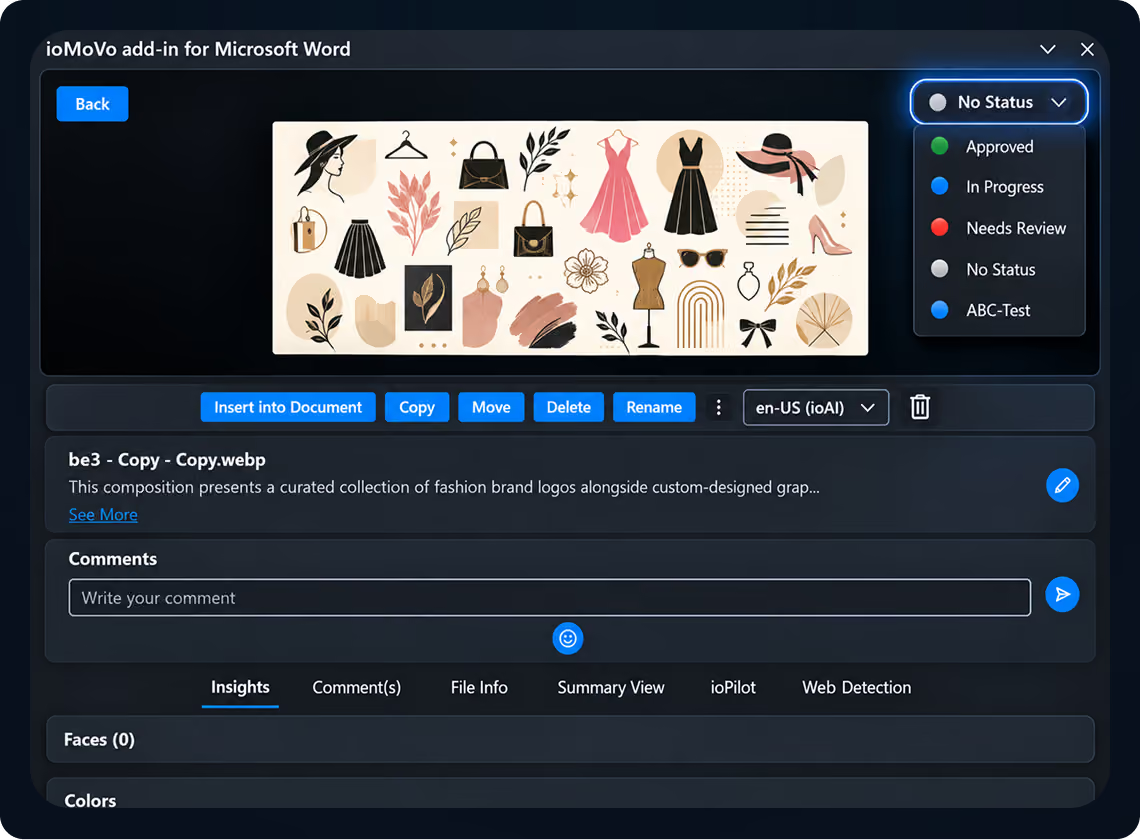
Workflow Status on Every Asset
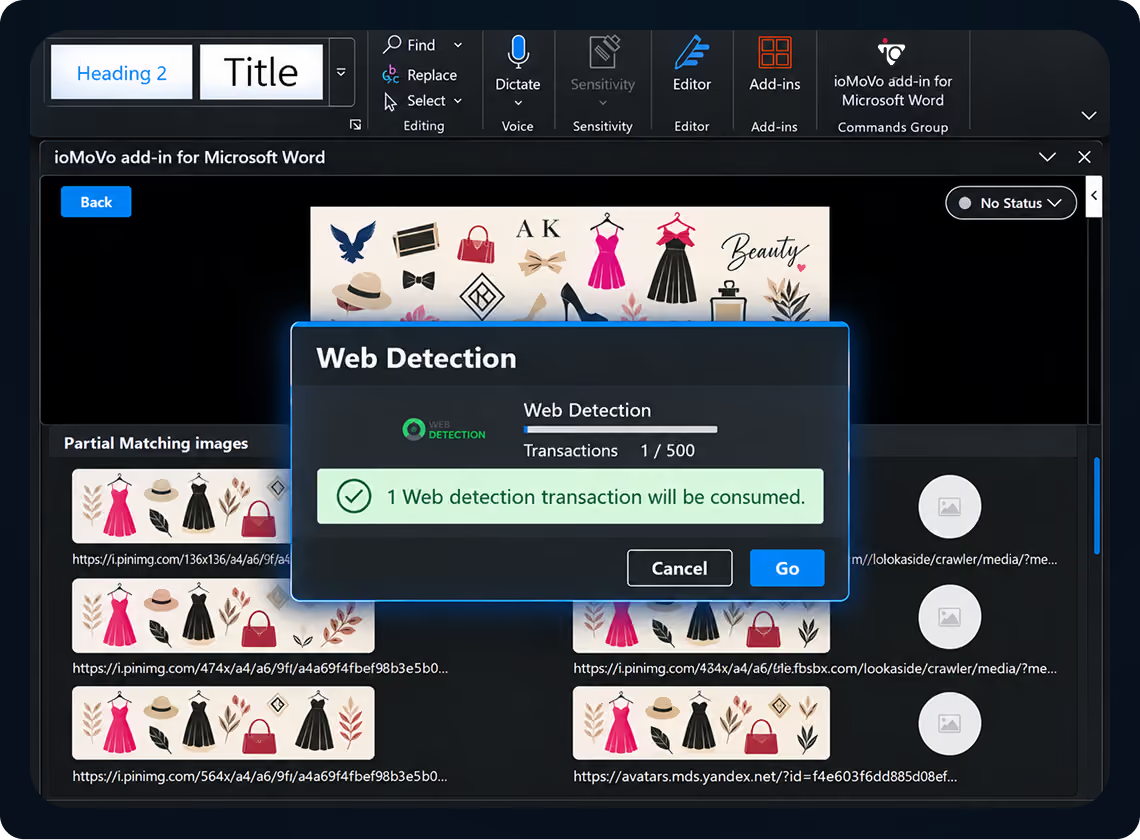
Web Detection: See Where Your Images Appear Online
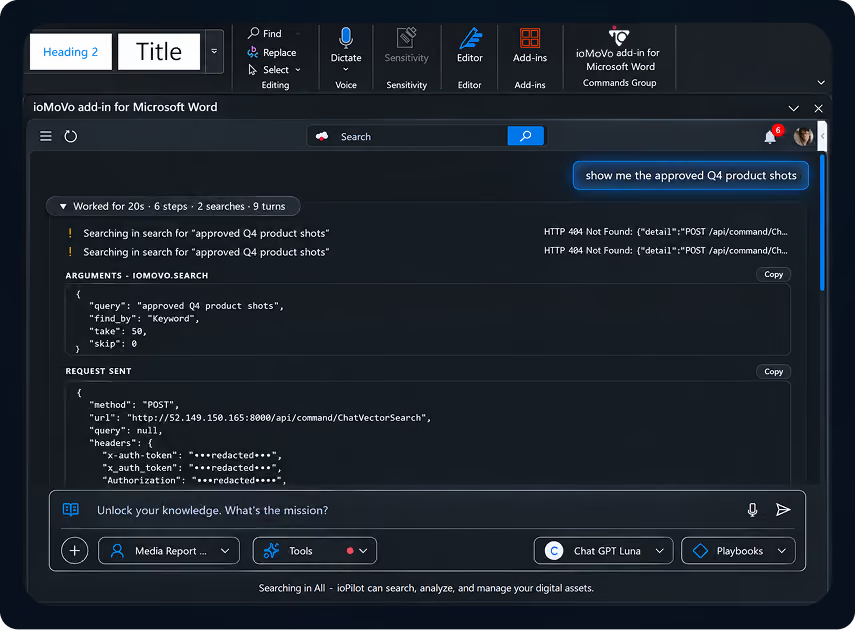
Ask for Assets in Plain Language
The ioMoVo Platform Behind the Add-in
The Microsoft 365 add-ins are the front door to the full ioMoVo platform.

ioCloud
Store. Organize. Govern.
AI aware storage across cloud, on premise and hybrid environments, with versioning and archive states.

ioHub
Connect. Index. Federate.
Links SharePoint, OneDrive and 15 sources without migration.

ioGallery
Browse. Organize. Discover.
One gallery view of every file across ioCloud and connected drives, filterable by campaign, type or date.

ioPilot
Chat. Discover. Act.
Natural language search across every connected system, with role based access enforced.

ioFlow
Automate. Orchestrate. Deliver.
Approval chains, task assignments and audit trails for assets created in Microsoft 365.

ioPortal
Share. Collaborate. Engage.
No code portals for sharing approved assets with partners, agencies and clients.
Working in creative tools too? See the Adobe Creative Cloud and Avid integrations, or browse the full marketplace.
Built for IT Approval
Everything your Microsoft 365 admin needs to approve the add-in is on one page.

Published on Microsoft Marketplace.
Separate add-ins for Word, PowerPoint, Excel and Outlook, each listed by ioMoVo.

Central deployment.
Admins can deploy Marketplace add-ins to selected users or groups from the Microsoft 365 admin center.

Clear permissions.
The add-in reads and edits the open document and connects to your ioMoVo library over the internet, as stated on each Marketplace listing.

Your access rules apply.
ioMoVo role based permissions decide which assets each user can see and insert.


Your data stays yours.
Customer content is never used to train ioMoVo models.
Microsoft Digital Asset Management FAQs

Not as a standalone DAM for Microsoft 365. SharePoint and OneDrive store files, and the SharePoint brand center and organization asset libraries can surface approved images, fonts and templates inside Office apps. Dynamics 365 Commerce has its own asset management for ecommerce content. None of these index the files you keep outside Microsoft or add AI search and approval workflows across every source. ioMoVo adds that layer on top of the storage you already use, inside Word, PowerPoint, Excel and Outlook.

For basic file storage and sharing, yes. SharePoint was not designed for visual search, asset versioning across apps or brand approval workflows. ioMoVo connects to SharePoint and adds those capabilities without moving your files.
It is a set of native add-ins for Word, PowerPoint, Excel and Outlook. Each one opens your ioMoVo library in a side panel, so you can find, insert, version and save assets without leaving the app.
No. ioHub connects to SharePoint, OneDrive and 15 sources and indexes files where they live.
The add-in connects to an ioMoVo workspace. See plans and pricing to get started.
Admins can deploy it to users or groups from the Microsoft 365 admin center, like other Microsoft Marketplace add-ins. Individual users can also install it from Microsoft Marketplace.
ioMoVo holds a SOC 2 Type II attestation, applies role based permissions to every asset and never uses customer content to train its models. Request the SOC 2 report.
They do different jobs. Copilot drafts and summarizes using content in your Microsoft tenant. ioMoVo manages the approved assets themselves: where they are stored, which version is current, who approved them and who can use them, including files outside Microsoft.
Yes. ioMoVo also offers Adobe Creative Cloud and Avid integrations, so creative and business teams work from the same library.
Bring Microsoft Digital Asset Management Into Every Document
Create your ioMoVo workspace, install the add-ins for Word, PowerPoint, Excel and Outlook, and connect SharePoint and OneDrive. Every team gets the approved version in the app they already use.