.svg)
DAM for Adobe Creative Cloud: Find, Version and Review Assets Without Leaving Adobe
ioMoVo is a creative asset management software that works inside Premiere Pro, After Effects and Photoshop. Search every connected drive with AI, pull approved assets straight into your project, track every version, and collect frame accurate client feedback without exporting a review file. Your files stay on the storage you already use, from ioCloud to Amazon S3, Microsoft Azure and Google Cloud.

Available on Adobe Exchange
Works with S3, Azure and Google Cloud
No migration
Adobe Creative Cloud Plugins
Built for Efficiency
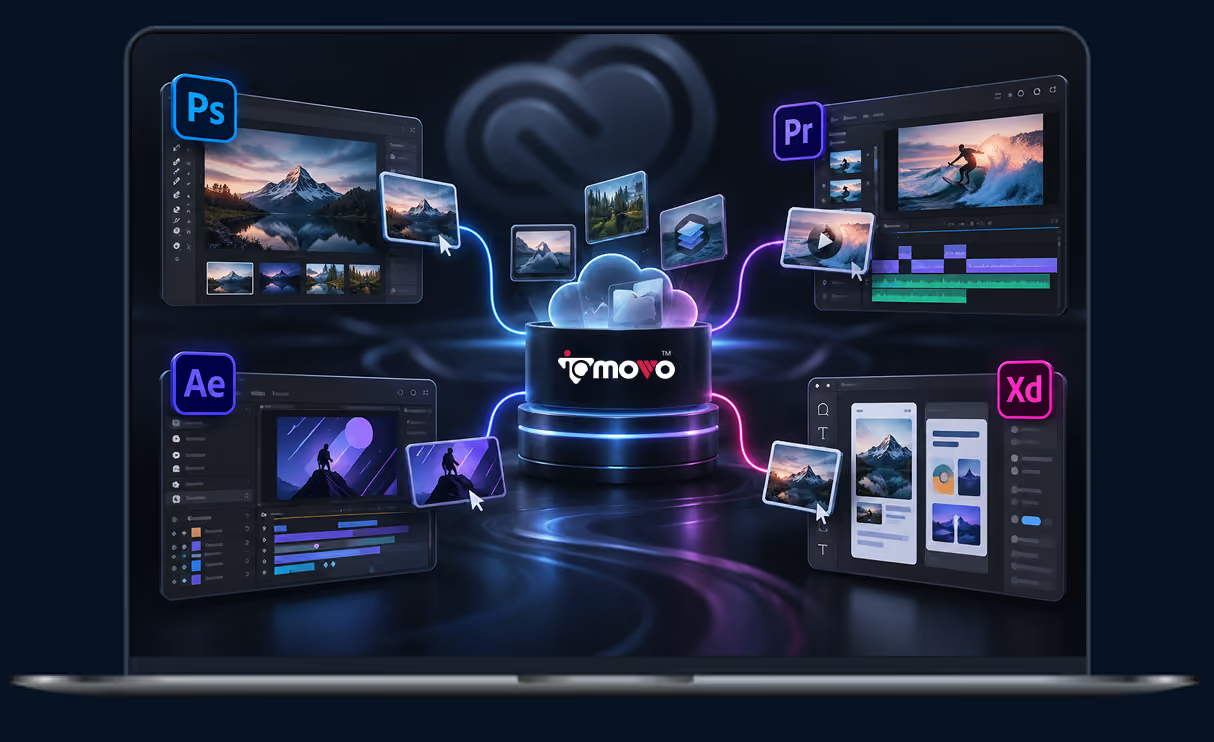
With ioMoVo, your Creative Cloud experience is transformed. Manage, edit, and share your assets across all your projects with built-in support for the leading Adobe apps like Photoshop, Premiere Pro, After Effects, and XD. Each plugin is designed to streamline your workflow, enhance collaboration, and empower creativity, all backed by the cloud and AI.
Why Creative Teams Need a DAM for
Adobe Creative Cloud
Editors and designers lose hours outside Adobe. They hunt for files in shared drives, download them, upload new versions again, and email review links that come back as scattered notes. By the third round, nobody is sure which version the client approved.
Most creative asset management software lives in a browser tab, so every search still means leaving the app. ioMoVo is an Adobe Creative Cloud DAM that works as a panel inside Premiere Pro, After Effects and Photoshop. The asset library and version history sit next to your timeline or canvas, and client feedback appears right in your Premiere Pro or After Effects panel.

Search without switching apps. AI indexing tags video, audio and images, so you find the right shot by describing it.
Versions tracked automatically. Every iteration is saved with its history, so you can roll back or compare without renaming files.
Review where you edit. Clients comment on specific frames, and those comments appear inside your Premiere Pro or After Effects panel.
Your storage, not ours. ioHub connects the cloud drives you already pay for. Nothing has to move.

Premiere Pro Asset Management, Built
into Your Timeline
The ioMoVo Premiere Pro plugin turns Premiere Pro asset management into part of the edit. Import footage from any connected drive, process it, and publish without leaving the timeline.

AI indexing for video and audio. Footage is tagged and organized automatically, so you search clips by what's in them.
Frame accurate feedback. Share a timeline, receive comments pinned to exact frames, and manage them inside Premiere Pro.
Subtitle editor. Transcribe audio and translate it into subtitles in multiple languages.
Direct publishing. Send finished cuts to YouTube and Vimeo from the plugin.
Running a large video library across several editing suites? See our video digital asset management software page, and the Avid plugin for mixed Premiere and Avid teams.
After Effects Asset Management for
Motion Graphics and VFX
Complex compositions pull from hundreds of files. After Effects asset management with ioMoVo keeps every one of them findable and versioned.
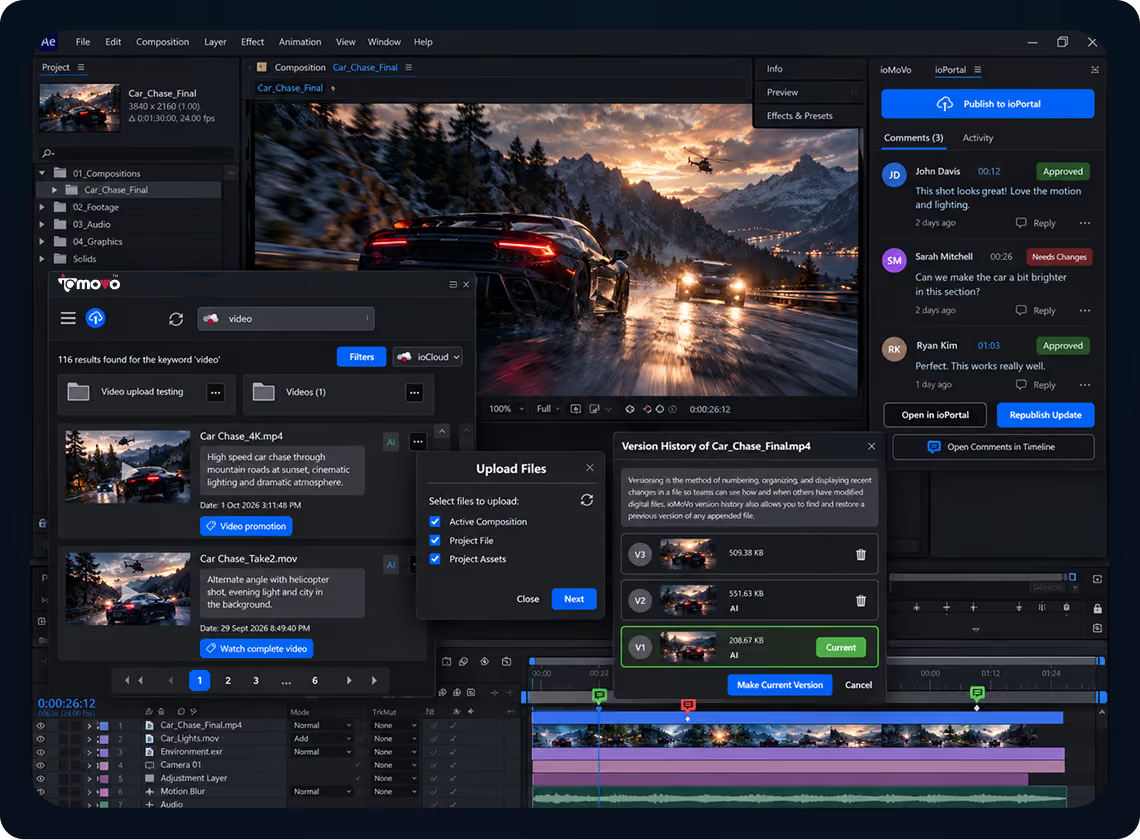
Import large files directly. Bring in large video files, image sequences and audio from ioMoVo's cloud drives.
AI search. Locate a specific asset in a large media library through intelligent indexing.
Versioning and feedback. Track iterations, share drafts and receive feedback without leaving After Effects.
Client review through ioPortal. Publish a composition to ioPortal, let clients comment on the timeline, see those comments in After Effects, then republish the update.
A Photoshop DAM Plugin for Image and
Design Teams
The ioMoVo Photoshop DAM plugin connects your image library to your canvas. Import, manage
and export assets straight from the cloud.

Version control. Every save is tracked, so earlier versions are one click away.
Live feedback. Collect comments from teammates and stakeholders on the image in your ioMoVo drive, then open it in Photoshop to make the changes.
Automated organization. AI tags and categorizes images as they're saved.

Adobe XD
Adobe has stopped active development of XD. ioMoVo still supports XD users who need to keep prototypes and design files organized in the cloud and shared for feedback while they move to other tools.
The ioMoVo Platform Behind Every
Adobe Plugin
Each plugin is the front end of a full DAM. Six modules do the work behind the panel.

ioCloud
Store. Organize. Govern.
ioCloud is AI aware storage for teams that want ioMoVo to host their library, with versioning and access controls built in.

ioHub
Connect. Index. Federate.
ioHub links Amazon S3, Microsoft Azure, Google Cloud and other storage without migration, and indexes it for search.

ioGallery
Browse. Organize. Discover.
One visual view of every file across ioCloud and your connected drives. Browse, sort and filter by project, campaign or file type, so the asset you need is on screen in seconds instead of buried in folders.

ioPilot
Chat. Discover. Act.
Ask for assets in plain language and ioPilot finds videos, images and audio across every connected cloud. Results respect the access each user already has.

ioFlow
Automate. Orchestrate. Deliver.
ioFlow runs approval chains and task assignments, so only approved assets reach the next stage of production.

ioPortal
Share. Collaborate. Engage.
ioPortal gives clients and partners a branded space to view work, leave comments and download approved files.
Working outside Adobe too? The ioMoVo Desktop agent syncs local files and folders into the same library.
Who Uses ioMoVo's Adobe Creative Cloud DAM
Creative and design agencies
Keep every client's assets separate, share cuts and comps through branded ioPortal spaces, and stop chasing feedback across email threads.
In house marketing and brand teams
Give designers approved logos, product shots and campaign files inside Photoshop, so off brand assets never reach a layout. See how ioMoVo supports marketing asset management and brand asset management.
Video and post production teams
Index footage with AI, review cuts frame by frame, and publish to YouTube and Vimeo from Premiere Pro. For broadcast scale libraries, see media asset management.
Works With the Rest of Your Stack
The Adobe plugins are one part of ioMoVo's integrations marketplace. Pair them with the Microsoft 365 add-ins for Word, Excel, PowerPoint and Outlook, or the for Media Composer teams. New to DAM? Start with our digital asset management software overview, check your team's readiness with the DAM Readiness Scorecard, or estimate savings with the ROI Calculator.
Frequently Asked Questions

A DAM for Adobe Creative Cloud is digital asset management that runs inside Adobe apps through plugins. With ioMoVo, you search, import, version and review assets from a panel in Premiere Pro, After Effects or Photoshop, instead of switching to a separate browser tool.

ioMoVo has plugins for Photoshop, Premiere Pro and After Effects, all available on Adobe Exchange.
It can be. Adobe's DAM solution, Experience Manager Assets, is built for enterprises running the wider Adobe Experience Manager suite. ioMoVo gives creative teams a DAM that works inside Adobe Creative Cloud apps and connects the storage they already use, without that broader platform or a migration.
No. ioMoVo connects to ioCloud, Amazon S3, Microsoft Azure, Google Cloud, S3 compatible stores such as Wasabi and Backblaze, and other storage through ioHub. Your files stay where they are, and ioMoVo indexes them for search.
Yes. Publish a composition or cut to ioPortal, and clients view it and comment on specific frames in their browser. Their comments appear inside your Premiere Pro or After Effects panel. For Photoshop files, comments stay with the image in your ioMoVo drive.
Yes. The subtitle editor transcribes audio and translates it into subtitles in multiple languages, inside Premiere Pro.
Most creative asset management software runs in a browser, so every search means leaving your app. ioMoVo works inside Adobe Creative Cloud, searches every connected drive with AI, and doesn't require you to migrate files first.
Access follows the roles you set, so each user only sees what they're allowed to see. ioMoVo's SOC 2 Type II report is available on request.
Bring Your DAM into Adobe Creative Cloud
Install the plugins from Adobe Exchange and connect the storage you already use, or start a free trial and see ioMoVo running as a DAM for Adobe Creative Cloud.