.svg)
Avid Media Composer Plugin for Cloud Asset Management and AI Search
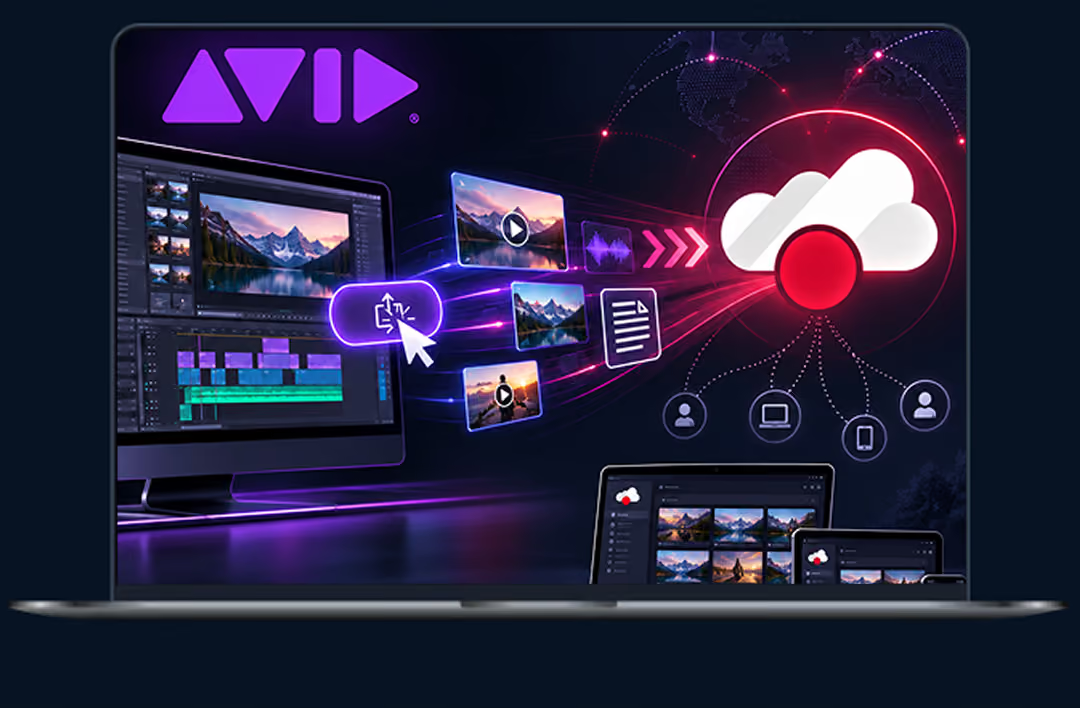
The ioMoVo Avid Media Composer plugin is a Media Composer panel that brings your ioMoVo library and connected drives inside your edit. Search, import and export media across ioCloud, AWS S3 and S3 compatible storage such as Wasabi and Backblaze, with more drives being added, all without leaving Avid Media Composer. Version control and AI search come built in. No migration to new shared storage.

Works with ioCloud and S3-compatible storage
AI search with ioPilot
Version control built in
Why Editors Add ioMoVo to Avid
Media Composer
Media lives in too many places. Camera originals sit on S3, client deliverables in Box, the archive on Wasabi and the script notes in SharePoint. Every trip out of Avid Media Composer to download, rename and reimport costs time and breaks the version trail.
ioMoVo brings those sources into one panel. Editors find the clip, pull it into the project and export the cut back to the right drive from the same window. Avid media management becomes a step in the edit, not a separate job.
Many video asset management platforms ask you to move footage into their storage first. ioMoVo indexes media where it already lives through ioHub, so nothing is migrated.

Export from Avid Media Composer to ioCloud
and S3 cloud storage
Export assets from Avid Media Composer to ioCloud or a connected S3 bucket in one click. No manual uploads,
no shuttle drives between edit bays. Remote editing teams and in-house editors work from the same library.

- ioCloud
- AWS S3
- S3-compatible storage: Wasabi, Backblaze and other S3-compatible endpoints
- Cloud object storage: Microsoft Azure Storage, Google Cloud Storage, Oracle Object Storage
- On-prem and hybrid: Seagate, Ceph, SFTP
- Collaboration drives: Box, Dropbox, Google Drive, OneDrive, SharePoint
Search every drive from one
Media Composer panel
Connect, upload, search and manage assets across every connected drive directly from Avid Media Composer. Browse by drive, find the clip and import it into your open project without downloading to the desktop first.

Find any clip in seconds with ioPilot AI search

ioPilot is ioMoVo's AI assistant, built into the Avid Media Composer plugin. Ask in plain language, such as "drone shots of the harbor from the March shoot," and ioPilot searches every connected drive at once. Results open in ioGallery, one visual view of every file across ioCloud and connected drives, so editors can browse, sort and filter footage before importing it.
Version control built in
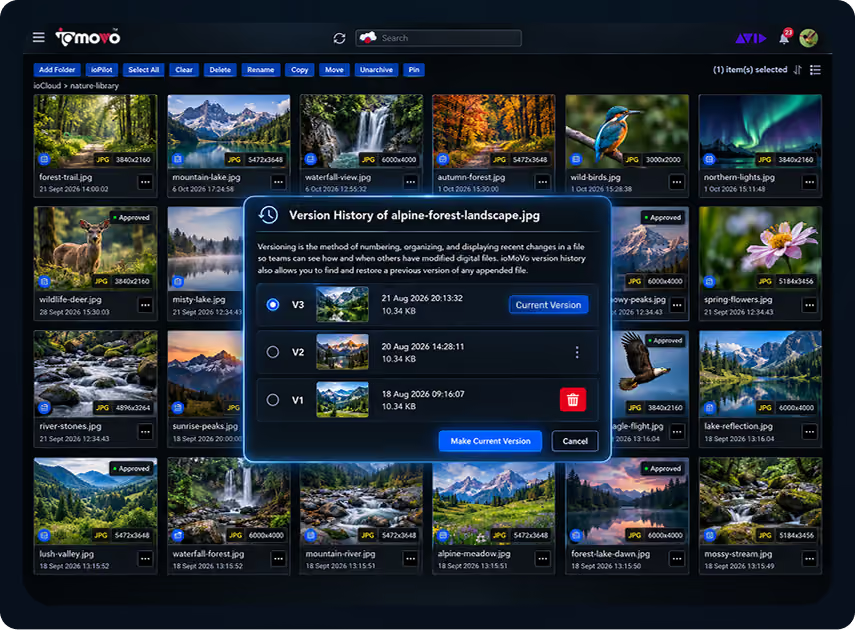
The Avid Media Composer plugin keeps version history for assets in ioCloud and lets you restore an earlier one without leaving Media Composer. On connected drives, version history follows that drive’s own versioning, so it’s available wherever the provider supports it. Your team stays aligned on which cut is current, and every project stays organized.
Status labels and custom workflow
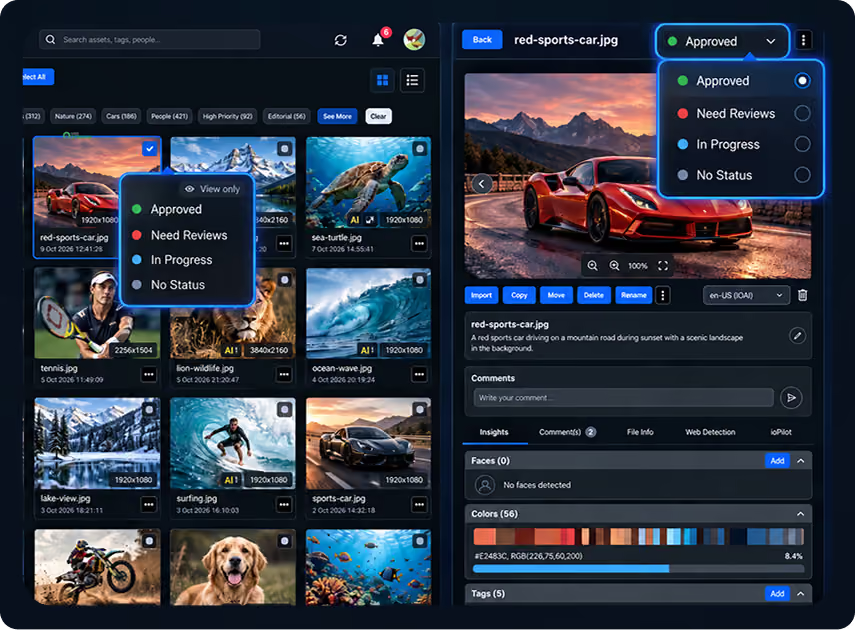
Label assets "In Progress," "Completed" or any custom status your team uses. When a cut needs sign off beyond the edit bay, ioFlow routes it to reviewers with a full audit trail.
Track where your stills appear online
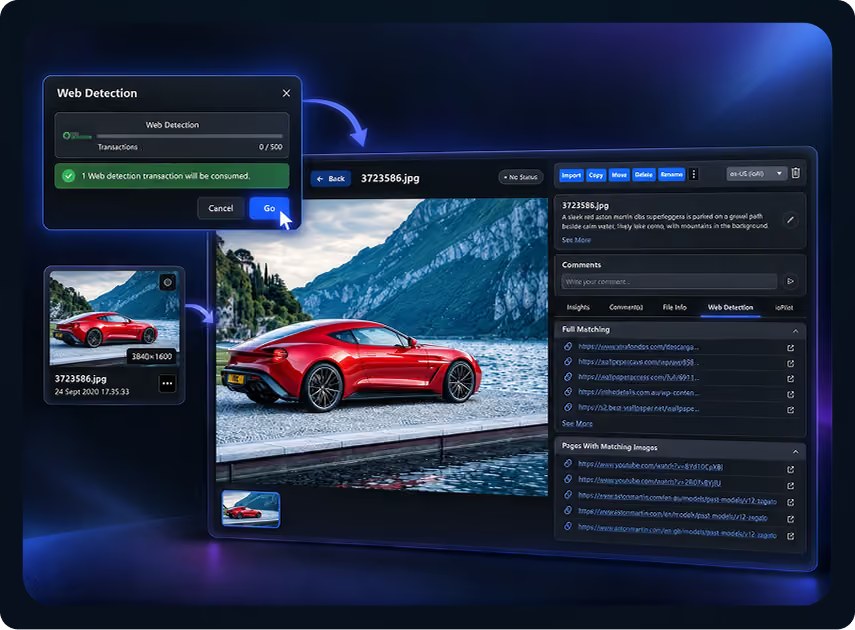
AI driven Web Detection scans the web for unauthorized use of your images and reports where matches appear. Use it to keep track of key art, thumbnails and production stills.
How the Avid Media Composer plugin
fits the ioMoVo platform
The plugin is one door into the same governed library your whole team uses.

ioCloud
Store. Organize. Govern.
ioCloud AI aware storage layer for assets across cloud, on premise and hybrid environments

ioHub
Connect. Index. Federate.
ioHub Connects and indexes the storage you already run, with no migration.

ioGallery
Browse. Organize. Discover.
One gallery view to browse, sort and filter files across ioCloud and connected drives

ioPilot
Chat. Discover. Act.
ioPilot AI assistant for search and discovery

ioFlow
Automate. Orchestrate. Deliver.
ioFlow Approval workflows and automation

ioPortal
Share. Collaborate. Engage.
ioPortal Branded portals for clients and partners
Designers and motion artists reach the same assets through the Adobe Creative Cloud plugin, and producers through the Microsoft 365 add-ins. The ioMoVo Desktop agent syncs local folders. See all ioMoVo plugins, every connector in the integrations marketplace, and our post-production software page for Avid and Premiere workflows
Rolling ioMoVo out across a whole production or broadcast operation? See our media asset management solution.
Frequently Asked Questions

It adds a Media Composer panel that brings assets from your ioMoVo library and connected cloud and on premise drives, including ioCloud, into Avid Media Composer. Editors search with ioPilot, import into the open project, export to connected drives and keep version history where the storage supports it, all without leaving the editor.

Yes. AWS S3 is supported through ioMoVo’s native S3 connector, which also covers S3 compatible storage such as Wasabi and Backblaze. Export from Media Composer straight to any of them. Support for more drives, including Azure, Google Cloud Storage and Oracle Object Storage, is on the way.
Avid Content Core is Avid’s cloud based content data platform for newsrooms, studios and post facilities, and MediaCentral is its collaborative production platform. ioMoVo isn’t an Avid production platform and doesn’t compete with either. It’s a storage agnostic digital asset management platform, and the Media Composer plugin simply brings assets from your ioMoVo library into your Avid project. The same library also serves designers through the Adobe Creative Cloud plugin and producers through Microsoft 365, so every team works from one source. Teams can run ioMoVo alongside Avid’s platforms or on its own.
The Frame.io Avid integration centers on review: you export to a watch folder or the Transfer App, then bring reviewer comments back into Media Composer as markers. ioMoVo works inside a panel for search, import, export and versioning across many drives. The two can run side by side.
No. Media Tool and Consolidate still manage media on your Avid storage. ioMoVo extends Avid media management to everything outside it, with status labels and AI tags on assets in every connected drive, and version history where the storage supports it.
See the Avid Media Composer plugin on storage like yours
Book a 15 minute walkthrough. We'll connect a demo workspace to storage like yours and show search, import, export and versioning inside a Media Composer panel.