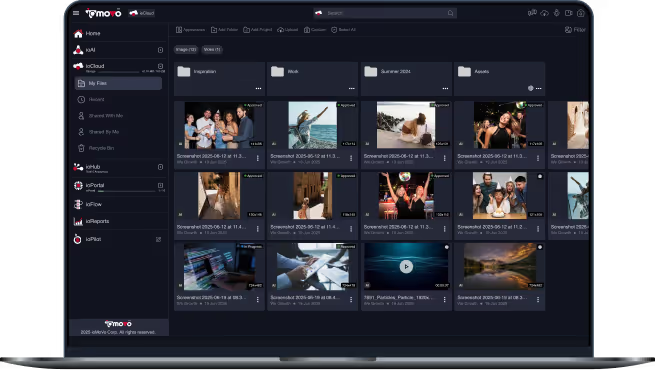
.svg)
برنامج سير عمل الموافقة للفرق التي تعتمد بشكل كبير على الأصول

ioFlow هو محرك سير العمل الذكي - برنامج سير عمل الموافقة - الذي يُؤتمت كيفية نقل الأصول الرقمية ومراجعتها واعتمادها ومعالجتها في جميع أنحاء مؤسستك. سلاسل الموافقة وتعيينات المهام. أتمتة دورة حياة الأصول من الاستيعاب إلى النشر. سجلات تدقيق لكل خطوة. مصمم للفرق التي تُوجه المحتوى من خلال مراجعة منظمة - الموافقة الإبداعية، وتوقيع اتفاقية حقوق النشر، ومراجعة المستندات، ومعايير البث، ومراجعة العميل.

سير العمل المُراعي للأصول
سير العمل المُراعي للأصول
تكامل MCP القائم على المعايير
مصمم للصناعات الخاضعة للتنظيم
لماذا تختار الفرق ioFlow

أتمتة دورة حياة الأصول
الاستيعاب ← المراجعة ← الموافقة ← النشر، كل ذلك منسق في محرك واحد

سلاسل الموافقة وتوزيع المهام
خطوات مراجعة منظمة مع توجيه قائم على الأدوار

إدارة الحالة واتفاقيات مستوى الخدمة
اطلع على ما ينتظر كل فرد، وقم بالتصعيد حسب الحاجة.

سجلات تدقيق كاملة
يتم تسجيل كل خطوة من خطوات الموافقة مع الطوابع الزمنية والهوية والقرار
تُصنّف الفرق الخاضعة للرقابة برنامج ioFlow ضمن أفضل برامج إدارة سير العمل للمراجعة الجاهزة للتدقيق. اطلع على نهج أتمتة سير العمل في ioFlow.
ما يفعله ioFlow اليوم
يُعدّ ioFlow محرك سير العمل الذكي داخل ioMoVo. ويتولى ioFlow اليوم إدارة دورات الموافقة المنظمة التي تُجريها فرق المحتوى يوميًا عبر سير العمل الإبداعي والتنظيمي والوثائقي والإذاعي والموجه للعملاء.
أتمتة دورة حياة الأصول
تنتقل المحتويات عبر مراحل منظمة - الاستيعاب، والمراجعة، والموافقة، والنشر - دون تدخل يدوي في كل خطوة. يحافظ ioFlow على دورة حياة المحتوى مرئية وخاضعة للمساءلة عبر جميع أنظمة المصادر المتصلة.
سلاسل الموافقة وتوزيع المهام
قم بتكوين خطوات مراجعة منظمة لأي نوع من أنواع المحتوى. قم بتعيين المهام لأدوار أو أفراد محددين. قم بتوجيهها عبر المراجعة الطبية، والقانونية، والتنظيمية (MLR للأدوية)، ومراجعة العلامة التجارية والامتثال (DAM للتسويق)، والمراجعة القانونية والإشرافية (الخدمات المالية)، أو أي تسلسل تتطلبه حوكمتك.
إدارة المهام والحالات مع اتفاقيات مستوى الخدمة
اطلع على كل محتوى قيد المعالجة، ومن المسؤول عن الخطوة التالية، وأين يُستغل الوقت. يكشف تتبع اتفاقيات مستوى الخدمة عن نقاط الضعف قبل تفاقمها. تُسجل التقارير أوقات الدورات، والإنتاجية، وسرعة الموافقة لتحقيق التحسين المستمر.
تشغيل الأحداث عبر الإعدادات
قم بتهيئة ioFlow لبدء سير العمل تلقائيًا بناءً على أحداث التحميل، أو مطابقة البيانات الوصفية، أو غيرها من المحفزات القابلة للتكوين. يتم توجيه المحتوى الجديد الوارد إلى مجلد مُحدد عبر دورة الموافقة المناسبة دون الحاجة إلى إعداد يدوي. التكوين الحالي يعتمد على الإعدادات؛ أما منطق المحفزات القائم على القواعد والمدعوم بالذكاء الاصطناعي فهو قيد التطوير.
سجلات التدقيق والتقارير
يتم تسجيل كل خطوة - الطابع الزمني، هوية المستخدم، القرار، التعليقات. تدعم سجلات التدقيق سير العمل المنظم (FDA 21 CFR الجزء 11، FINRA، ICH-GCP) ومراجعة الحوكمة الداخلية. توفر التقارير مقاييس سير العمل الإجمالية وسجلات الموافقات الفردية عند الطلب.

سيصدر لاحقاً هذا العام
سيتم توسيع نطاق ioFlow بإضافة إمكانيات متقدمة جديدة في وقت لاحق من هذا العام. ويستمر محرك ioFlow الحالي في تشغيل عمليات الموافقة؛ حيث تعمل هذه الإضافات على توسيع نطاق المحرك دون استبداله.
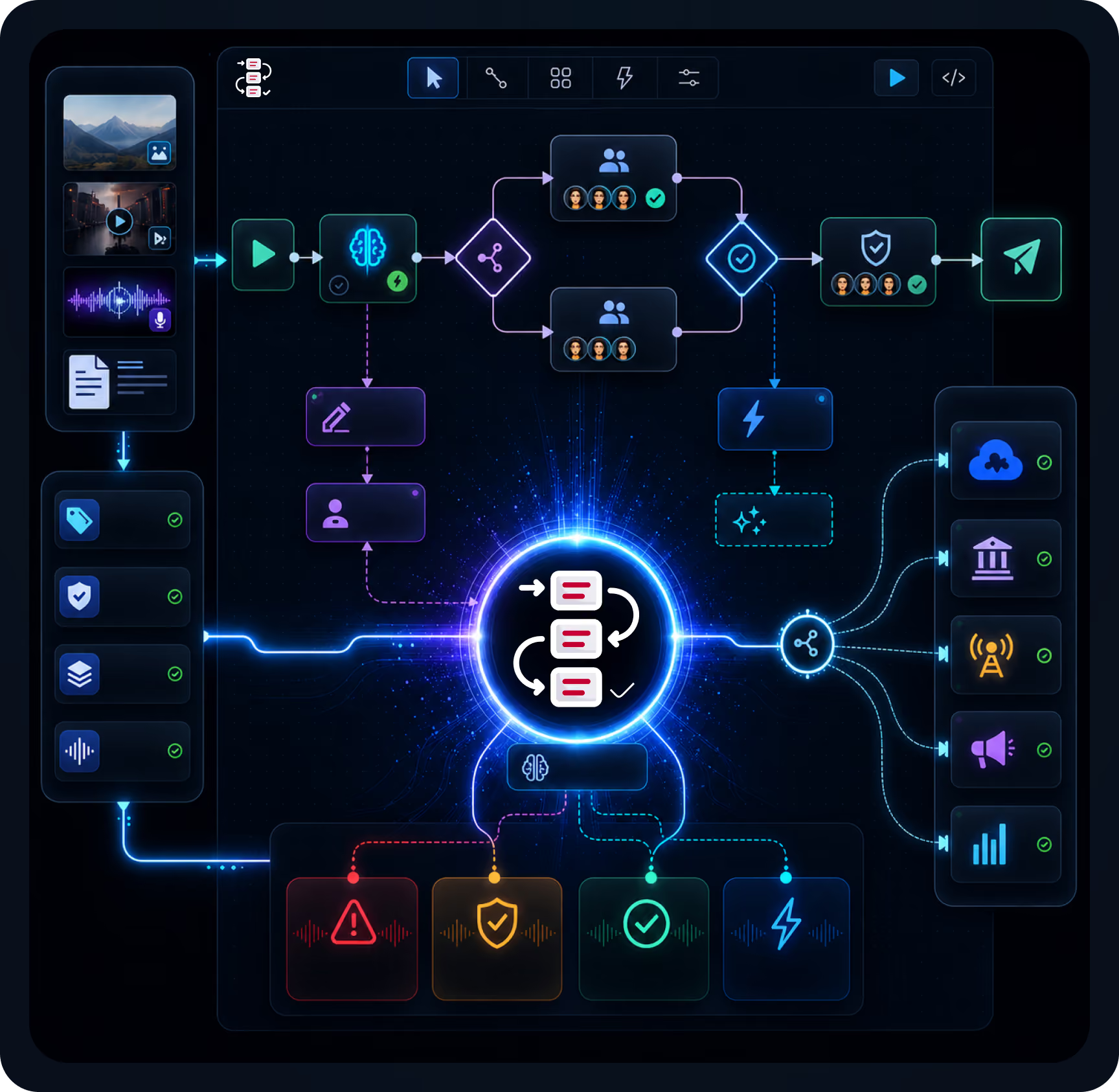
أداة إنشاء سير العمل المرئي (كانبان / تدفقات قائمة على الخطوات)
قم بتصميم وتعديل مسارات الموافقة بشكل مرئي - إنشاء الخطوات عن طريق السحب والإفلات، والفروع المتوازية، والتوجيه المشروط.
الأتمتة القائمة على القواعد والمدعومة بالذكاء الاصطناعي
الموافقات المشروطة ("تمت الموافقة إذا كان عدد المراجعين = 3")، والتوجيه التلقائي بناءً على تصنيف المحتوى، والخطوات التالية الموصى بها بواسطة الذكاء الاصطناعي.
دمج الذكاء الاصطناعي في سير العمل
تُطبّق ioAI عمليات الوسم التلقائي والتحقق والتوجيه أثناء تنفيذ سير العمل. يتم تصنيف المحتوى عند إدخاله وتوجيهه تلقائيًا إلى دورة المراجعة المناسبة.
الإجراءات التي يتم تشغيلها بواسطة الذكاء الاصطناعي
يتم تشغيل خطوات سير العمل بناءً على أحداث الذكاء الاصطناعي (على سبيل المثال، اكتشاف محتوى حساس، أو الإبلاغ عن انتهاك العلامة التجارية، أو اكتمال عملية النسخ).
روابط التكامل لواجهات برمجة التطبيقات والأنظمة الخارجية
تتصل عمليات سير العمل في ioFlow بالأنظمة اللاحقة - مثل أنظمة إدارة علاقات العملاء، والمنصات التنظيمية، وحركة البث، وأتمتة التسويق - لدفع المحتوى المعتمد وسحب تحديثات الحالة.
مصمم لسير عمل الموافقات كثيفة الأصول
ما نسمعه من الفرق التي تُجري مراجعة منظمة للمحتوى:

تتم دورات الموافقة عبر البريد الإلكتروني، ومحركات الأقراص المشتركة، وقرارات الاجتماعات - بدون سجل تدقيق، ولا تحكم في الإصدارات، ولا رؤية لمكان تعطل المحتوى
يتم شحن النسخ "النهائية" بمراجعات خاطئة لأن المراجعين علقوا على نسخ مختلفة من نفس الملف.
تتطلب مراجعة اللوائح والامتثال سجلات جاهزة للتدقيق لا تنتجها الأدوات الحالية - يصبح كل تدقيق مشروعًا لإعادة بناء الوثائق
أدوات إدارة المشاريع العامة (مثل Asana وMonday) غير مصممة لسير عمل أصول المحتوى - فأصول الفيديو والصور والمستندات والصوت تحتاج إلى أدوات مراجعة متخصصة.
تغطي أدوات الموافقة الإبداعية المتخصصة (مثل Ziflow ومراجعة Frame.io) نوعًا واحدًا من الأصول، لكنها لا تشمل محفظة المحتوى الكاملة.
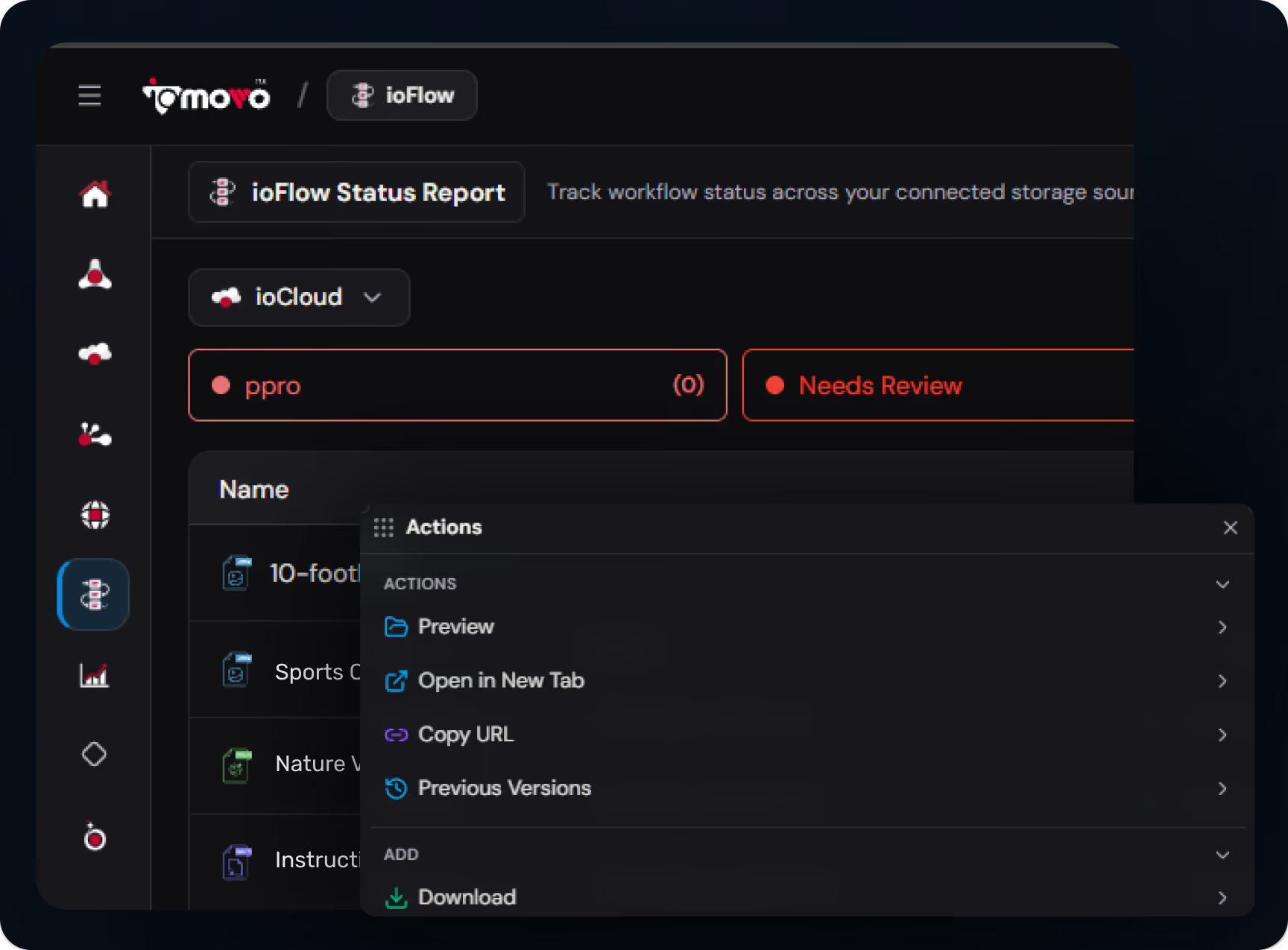
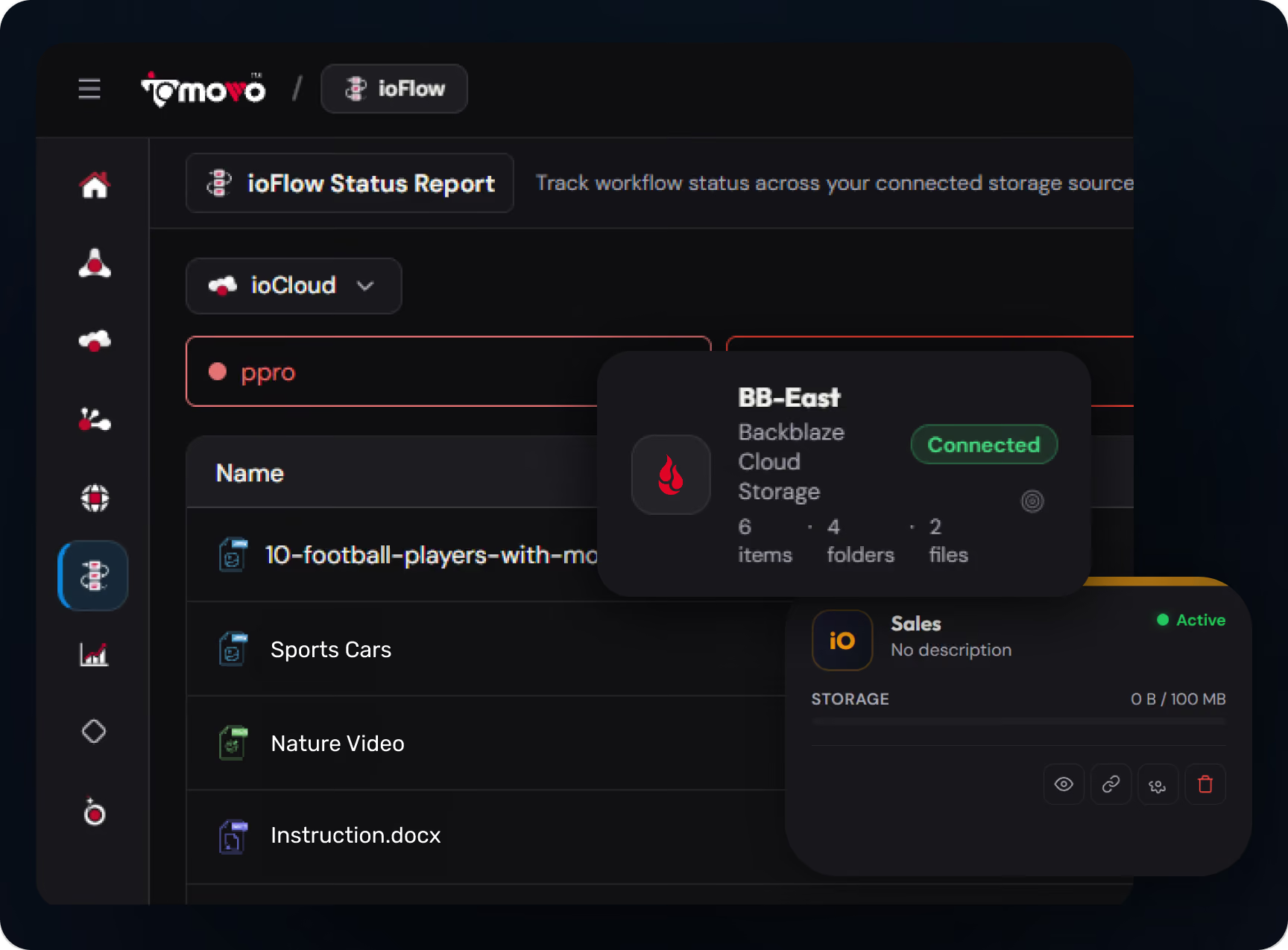
كيف يحل ioFlow هذه المشكلة:
يدير ioFlow سلاسل موافقة منظمة مع تعيينات المهام، وإدارة الحالة، وتتبع اتفاقيات مستوى الخدمة، وسجلات تدقيق كاملة في كل خطوة - عبر كل نوع محتوى يديره ioMoVo
تضمن أتمتة دورة حياة الأصول بقاء النسخة المعتمدة مرئية ومحدثة. تتم مزامنة حالة النسخة المعتمدة مع الأنظمة المصدرية (SharePoint، S3) بحيث يتمكن المستخدمون النهائيون دائمًا من الوصول إلى النسخة الصحيحة.
صُممت سجلات التدقيق للمراجعة التنظيمية - متوافقة مع الجزء 11 من الباب 21 من قانون اللوائح الفيدرالية (FDA 21 CFR Part 11) للصناعات الدوائية، ومتوافقة مع هيئة تنظيم الصناعة المالية (FINRA) للخدمات المالية، ومتوافقة مع المبادئ التوجيهية للممارسات السريرية الجيدة (ICH-GCP) للتجارب السريرية، ومتوافقة مع هيئة الاتصالات الفيدرالية (FCC) وهيئة تنظيم الاتصالات (Ofcom) للبث.
تنفيذ سير العمل مع مراعاة الأصول - يعرف ioFlow الفرق بين الفيديو والمستند والصورة وملف الصوت، ويوجه كل منها عبر أدوات المراجعة المناسبة.
تغطية شاملة لجميع أنواع الأصول في محرك واحد - الموافقة الإبداعية، والموافقة على حقوق الملكية الفكرية، ومراجعة المستندات، ومعايير البث، ومراجعة العميل، كلها تعمل على نفس محرك ioFlowengine مع تدقيق وإعداد تقارير مشتركة
أين تستخدم الفرق ioFlow
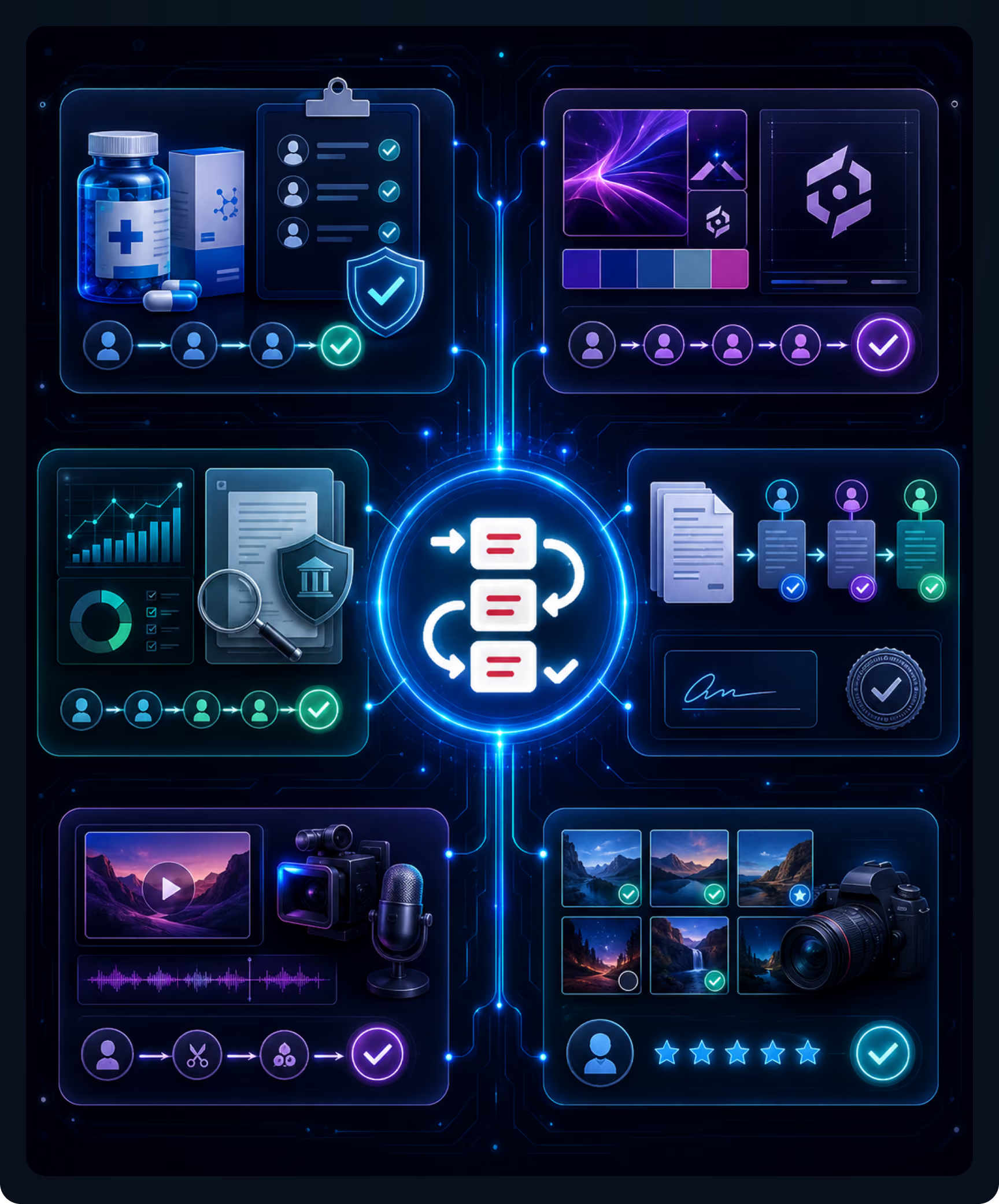
الموافقة على اتفاقية مكافحة غسل الأموال في قطاع الأدوية وعلوم الحياة
تخضع الأصول الترويجية والعلمية والاستشارية والتدريبية والمتعلقة بمقدمي الرعاية الصحية للمراجعة الطبية والقانونية والتنظيمية. تدعم سجلات التدقيق الجزء 11 من الباب 21 من قانون اللوائح الفيدرالية الأمريكية. خارطة الطريق: أداة إنشاء تقارير مراجعة طبية مرئية، وتصنيف/توجيه مدعوم بالذكاء الاصطناعي.
التسويق والموافقة على العلامة التجارية
يتم توجيه الأصول الإبداعية عبر مراجعة العلامة التجارية والشؤون القانونية والامتثال، مع إدارة سير العمل التسويقي من خلال تعيين المهام وتتبع الحالة. تتم مزامنة النسخ المعتمدة مع أدوات إدارة الأصول الرقمية/الأدوات الإبداعية. تغطية شاملة لأنواع الأصول المختلفة على محرك واحد.
مراجعة الامتثال للخدمات المالية
تخضع اتصالات العملاء والمواد التسويقية والمراجعة الإشرافية ووثائق السياسات لسلسلة الموافقات اللازمة للامتثال. وتتوافق سجلات التدقيق مع معايير هيئة تنظيم الصناعة المالية (FINRA) وقانون هيئة الأوراق المالية والبورصات الأمريكية (SEC 17a-4) والإشراف الداخلي. ويتم إنتاج السجلات الجاهزة للتدقيق تلقائيًا.
سير عمل الموافقة على المستندات
الموافقة على السياسات، ومراجعة العقود، والتوقيع الإشرافي — برنامج إدارة سير العمل للوثائق في المجالات القانونية والمهنية والعمليات. تخصيص المهام وتتبع اتفاقيات مستوى الخدمة؛ وإعداد تقارير وقت الدورة.
مراجعة تحريرية للبث والإعلام
مراجعة التحرير ومعايير الإعلانات واللوائح التنظيمية - سير عمل إدارة الأصول الإعلامية لفرق الإعلام والترفيه. معالجة رموز الوقت الأصلية للفيديو. تدعم سجلات التدقيق حفظ السجلات بما يتوافق مع معايير لجنة الاتصالات الفيدرالية وهيئة تنظيم الاتصالات.
التصوير الفوتوغرافي ومراجعة العميل
سير عمل موافقة العملاء للمصورين والاستوديوهات. التعليق على مناطق الصور، وتتبع التراخيص. تتم مزامنة المعارض المعتمدة مع بوابة ioPortal للتسليم.
إمكانيات ioFlow الأساسية القدرات
سلاسل الموافقة وتوزيع المهام
قم بتكوين خطوات مراجعة منظمة؛ قم بتعيينها للأدوار أو الأفراد؛ مراجعة متسلسلة أو متوازية.
أتمتة دورة حياة الأصول
الاستيعاب ← المراجعة ← الموافقة ← النشر، مع تتبع الحالة والإشعارات.
إدارة المهام والحالة واتفاقيات مستوى الخدمة
رؤية كاملة للمحتوى أثناء النقل؛ تتبع اتفاقيات مستوى الخدمة (SLA) وتحديد نقاط الاختناق؛ قواعد التصعيد والإشعارات.
تشغيل الأحداث عبر الإعدادات
بدء سير العمل تلقائيًا عند التحميل، أو مطابقة البيانات الوصفية، أو غيرها من الأحداث القابلة للتكوين. الوضع الحالي: يعتمد على الإعدادات. خارطة الطريق: محفزات قائمة على القواعد ومحفزات مدعومة بالذكاء الاصطناعي.
سجلات التدقيق والتقارير
يتم تسجيل كل خطوة (الطابع الزمني، الهوية، القرار، التعليقات)؛ السجلات الفردية والمقاييس الإجمالية؛ جاهزة للتدقيق للمراجعة التنظيمية.
تغطية شاملة لأنواع الأصول المختلفة
يدعم محرك واحد الفيديو والصور والمستندات والصوت؛ حيث يتم توجيه تنفيذ سير العمل الواعي بالأصول من خلال الأدوات المناسبة.
وكيل سير العمل (A2A)
يتولى وكيل سير العمل المتخصص في بنية A2A الخاصة بـ ioMoVo التنسيق مع وكلاء الاستيعاب والبيانات الوصفية والنسخ والامتثال ونشر البوابة من أجل خطوط أنابيب شاملة دون تدخل بشري في كل خطوة.
سير العمل الذي يمكن الوصول إليه بواسطة MCP
عبر بروتوكول سياق النموذج، تصل وحدات إدارة التعلم المتصلة بشكل آمن إلى سير عمل ioFlow - حيث تستعلم عن الحالة، وتُفعّل الإجراءات، وتفحص سجلات الموافقة. حلٌّ مُصمّمٌ لمستقبل منظومة الذكاء الاصطناعي الوكيل.

أين يندرج ioFlow ضمن منصة ioMoVo
ioMoVo هي منصة محتوى ذكاء اصطناعي سحابية الأصل، تتألف من ست وحدات وطبقة التقاط. تعالج كل وحدة مرحلة محددة من دورة حياة المحتوى. أما ioFlow فهي طبقة سير العمل التي تربط المحتوى من خلال مراجعة واعتماد منظمين.






الأسئلة المتكررة

ioFlow هو محرك سير عمل ذكي يُؤتمت عملية نقل الأصول الرقمية ومراجعتها واعتمادها ومعالجتها. يوفر اليوم: سلاسل اعتماد وتعيين مهام، وأتمتة دورة حياة الأصول (استيعاب ← مراجعة ← اعتماد ← نشر)، وإدارة المهام والحالات مع تتبع اتفاقيات مستوى الخدمة، ومحفزات أحداث قابلة للتكوين عبر الإعدادات (عند التحميل، ومطابقة البيانات الوصفية)، وسجلات تدقيق كاملة. يعمل ioFlow على جميع أنواع الأصول: الفيديو، والصور، والمستندات، والصوت، ضمن محرك واحد.

سيتم إطلاقها في وقت لاحق من هذا العام: أداة إنشاء سير العمل المرئي (Kanban وتدفقات قائمة على الخطوات لتصميم سير العمل بالسحب والإفلات)، والأتمتة القائمة على القواعد والمدعومة بالذكاء الاصطناعي (الموافقات المشروطة، والتوجيه التلقائي)، وتكامل الذكاء الاصطناعي في سير العمل (الوسم التلقائي، والتحقق، وتوجيه المحتوى أثناء التنفيذ)، والإجراءات التي يتم تشغيلها بواسطة الذكاء الاصطناعي (خطوات سير العمل التي يتم تشغيلها عند أحداث الذكاء الاصطناعي)، وخطافات التكامل لواجهات برمجة التطبيقات والأنظمة الخارجية.
تتتبع أدوات إدارة المشاريع المهام. يُشغّل ioFlow سير عمل مُدركًا للأصول، فهو يُميّز بين الفيديو والمستندات والصور وملفات الصوت، ويُوجّه كلًا منها عبر أدوات المراجعة المُناسبة، مع تعليقات مُرتبطة بالرمز الزمني للفيديو، وتعليقات على مناطق الصور/التصاميم، وتعليقات على أقسام المستندات للنصوص. صُممت سجلات التدقيق للمراجعة التنظيمية (21 CFR الجزء 11، FINRA، FCC)، وليس لتتبع المهام العامة. يعمل ioFlow على نفس طبقة المحتوى مثل ioCloud وioPilot وioPortal، مما يُوفر دورة حياة موحدة للأصول، وليس أداة مشروع مُنفصلة.
تُعنى أدوات الموافقة الإبداعية بنوع واحد من سير العمل، وهو مراجعة العلامة التجارية والتصميم الإبداعي للأصول التسويقية. يُشغّل ioFlow هذا السير بالإضافة إلى الموافقة على مراجعة المواد التسويقية (في قطاع الأدوية)، ومراجعة المستندات (في القطاع القانوني/العملياتي)، ومراجعة معايير البث (في قطاع الإعلام والترفيه)، ومراجعة المحتوى من قِبل العميل (في قطاع الصور)، ومراجعة الاتصالات الإشرافية (في قطاع الخدمات المالية)، كل ذلك ضمن نظام واحد مع إمكانية التدقيق المشترك وإعداد التقارير والتكامل مع الذكاء الاصطناعي. يُعدّ ioFlow برنامجًا لإدارة سير العمل الخاص بالموافقة على المحتوى بالكامل، وليس مجرد إدارة سير العمل الإبداعي أو التسويقي فقط.
نعم. يتم تسجيل خطوات الموافقة في ioFlow مع الطوابع الزمنية، وهوية المستخدم، والإجراء المتخذ، والقرار، بما يدعم متطلبات السجلات الإلكترونية والتوقيعات وفقًا للمادة 11 من الجزء 21 من قانون اللوائح الفيدرالية (FDA 21 CFR Part 11). قد تتطلب عمليات النشر المعتمدة وفقًا للمادة 11 من الجزء 21 من قانون اللوائح الفيدرالية (FDA 21 CFR Part 11) وثائق إضافية للتكوين والتحقق - تواصل مع قسم المبيعات لتأكيد سيناريوهات النشر المحددة للمادة 11 من الجزء 21 من قانون اللوائح الفيدرالية (FDA 21 CFR Part 11) التي تنطبق على مؤسستك.
نعم. من خلال بروتوكول سياق النموذج (MCP)، يمكن لأنظمة إدارة التعلم المتصلة ووكلاء الذكاء الاصطناعي الوصول بشكل آمن إلى سير عمل ioFlow - الاستعلام عن حالة سير العمل، وفحص سجلات الموافقة، وتفعيل الإجراءات - باستخدام المعيار المفتوح بدلاً من عمليات التكامل الاحتكارية. داخل ioMoVo، تتضمن بنية A2A وكيل سير عمل متخصصًا ينسق مع وكلاء الاستيعاب والبيانات الوصفية والنسخ والامتثال ونشر البوابة لتنفيذ مسارات المحتوى من البداية إلى النهاية دون تدخل بشري في كل خطوة.
راجع ioFlow في سير عمل الموافقة الفعلي الخاص بك.
احجز جولة تعريفية مدتها 15 دقيقة مصممة خصيصًا لقطاعك. سنشرح لك سلاسل الموافقات في ioFlow، وتوزيع المهام، وأتمتة دورة حياة الأصول، وسجلات التدقيق على محتوى نموذجي من محفظتك - مثل مراجعة المواد الطبية للأدوية، وموافقة العلامات التجارية للتسويق، ومراجعة المستندات للعمليات، ومعايير البث للإعلام. بدون عروض تقديمية أو عروض توضيحية عامة. تُطلق عليه الفرق اسم أفضل برنامج لإدارة سير العمل للموافقات التنظيمية. أو ابدأ مجانًا - أنشئ أول سير عمل للموافقات في دقائق.